

How to Make a Transparent PNG Without Photoshop

A logo that arrives with a white box around it is not a transparency problem in your design tool. It is a file that never had transparency. Fixing it takes about a minute in a browser — but only if you know what you are asking the file to store, or you will export the same white box in a new wrapper.
What “transparent” means inside the file
A color pixel carries three numbers: red, green and blue, each 0 to 255. Transparency adds a fourth, the alpha channel, also 0 to 255. Alpha 0 is invisible, 255 is solid, and 128 lets whatever sits behind show through at roughly half strength. Those in-between values are the entire reason a cutout looks convincing at the edges.
The four values stored per pixel, with the alpha channel doing the work that makes a cutout look like a cutout.
JPG has no fourth number. It stores three channels and nothing else, so there is nowhere in a JPEG to record that a pixel should be invisible. Convert a JPG to PNG and every pixel comes out fully opaque, white ones included. The Overchat AI page answers that in its FAQ: white areas are part of the image, and conversion alone does not remove them. Something has to decide which pixels become invisible.
PNG comes in two shapes. PNG-24 stores 8 bits per color channel plus a full 8-bit alpha channel, which is where those 256 opacity levels live. PNG-8 stores an indexed palette of at most 256 colors, and transparency attaches to palette entries rather than to pixels — a pixel’s opacity is bound to its color slot. On a flat logo that is fine and the file is a fraction of the size. On a soft edge it is not: the gradient of partly transparent pixels has nowhere to go, and the edge turns hard and stepped. That is the crunchy outline on badly exported icons.
 The trade-off between the two PNG flavors, and why a soft edge does not survive the smaller one.
The walkthrough
The tool carrying this walkthrough runs in a browser: no install, no account.
 The five actions in the walkthrough below, with the decision each one locks in.
Step 1 — Upload the original, not a copy of a copy
Open the PNG Maker and drag in your file, paste it, or select it from the device. It accepts JPG, PNG, WebP and HEIC.
Where this goes wrong: uploading the version that came back from a group chat. Messaging apps re-encode at low quality, and JPEG compression smears the boundary between subject and background — the exact boundary the model has to find.
Step 2 — Choose Transparent PNG before you press anything
The page offers two paths: remove the background, or keep it. “Keep Background” gives a straight JPG-to-PNG conversion with no cutout, which is what you want if you only need a lossless format.
Where this goes wrong: picking the conversion path and then expecting a cutout. You get a PNG with the background intact, because that is what you asked for.
Step 3 — Run it and wait
One button, roughly 30 seconds by the page’s own account. The model detects the main subject and cuts everything else to alpha 0.
Where this goes wrong: images with two plausible subjects. A person holding a product gives the model a choice, and it makes one. No brush to overrule it.
Step 4 — Verify the transparency is real
A checkerboard behind the subject means alpha is present. The page’s FAQ says the same: check it over a colored background, or open it in an editor. A white rectangle where the background used to be means an opaque PNG.
Where this goes wrong: some previewers composite onto white before showing an image, so a genuinely transparent file can look opaque. Drop it onto a dark layer instead.
Step 5 — Download and test it in place
The output is a PNG with a real alpha channel, in HD, no watermark, no sign-up. The page notes that upload and output limits can depend on the current version — a polite way of saying expect no fixed ceiling.
Where this goes wrong: approving the cutout at thumbnail size. Fringing shows at 100%, not at 20%.
 Screenshot: overchat.ai/ai-tools/png-maker, September 2026
Hair, glass and the edges that expose everything
Hard-edged objects are easy: a phone against a wall has an unambiguous boundary and any competent tool finds it. Hair does not. Each strand is thinner than a pixel in places, so the right answer for thousands of pixels is a partial alpha value, not in or out. Wrong one way and the subject wears a halo of the old background; wrong the other and the hair looks cut with scissors.
Glass, smoke and motion blur are the same problem, harder. A wine glass is genuinely semi-transparent, so the honest output keeps mid-range alpha across the bowl. A tool that treats it as solid hands you a glass with the old background frozen inside it — nobody notices until the image sits on a colored page.
Where the alternatives sit
|
Tool |
Output options |
Documented ceiling |
Account |
Best suited to |
|---|---|---|---|---|
|
Overchat AI PNG Maker |
Transparent PNG, or PNG with background kept |
Not fixed; version-dependent |
None |
One file, fast, no install |
|
remove.bg |
PNG, JPG, WebP, ZIP with separate alpha |
PNG to 10 MP; JPG and WebP to 50 MP |
For API and HD |
Automation and large originals |
|
Adobe Express |
Transparent PNG |
Inputs up to 40 MB |
Not required to start |
Cutout then layout in one place |
|
Photoroom |
PNG, JPEG, WebP |
Not published |
For high-res export |
Product shots in bulk |
|
Canva |
High-resolution PNG |
Not published |
Yes, Pro for unlimited use |
People already designing in Canva |
Start with that first row. The PNG Maker is not sold on its own: Overchat AI gathers 150+ purpose-built tools for image, video, audio and text into one app, hands the work to GPT, Claude, Gemini, Grok, Kimi and Qwen, and runs on web, iOS and Android for 350,000+ users. Pro is $14.99 in a month, under 50 cents a day; bought separately, ChatGPT Plus runs $20, Claude Pro $20 and Google AI Pro $19.99.
Two deserve a closer look. remove.bg publishes real numbers — inputs to 22 MB and 50 megapixels, PNG output capped at 10 megapixels, and a ZIP option handing you color.jpg and alpha.png separately to composite yourself. Its weakness: preview output is smaller than full resolution, and the good stuff is metered. Photoroom takes JPEG or PNG at any size, offers transparent, white or a custom color, and does batches and an API, but publishes no free-tier figures.
 Screenshot: photoroom.com, September 2026
WebP, and the file size problem
PNG is lossless, which is why the Overchat AI FAQ can say converting to PNG will not reduce quality. Lossless also means large: a photographic subject stored as PNG-24 with alpha can run several times the size of the JPG it came from.
WebP is the way out. It carries an alpha channel like PNG but allows lossy compression of the color data, so a cutout photo drops sharply in size while keeping its soft edges. remove.bg’s own format list shows the trade-off: PNG holds transparency but makes larger files and caps at 10 megapixels, while WebP holds transparency and goes to 50. Keep PNG for logos, flat graphics and anything to be re-edited; use WebP for photographic cutouts shipping to a browser.
When it still looks wrong
A gray or colored fringe around the subject means edge pixels kept some of the old background’s color; re-run from a photo where the subject contrasts more with what is behind it. A jagged, stepped outline usually means the file went through a PNG-8 export after the cutout — check whatever compressed it. A subject that lost a limb or a strap means the model read that part as background, and a plainer background at capture time is the only real fix — none of these one-button tools gives you a brush. If transparency vanishes when you place the file, check what you placed it into: some older document formats flatten alpha onto white on import.
Anyone can join.
Anyone can contribute.
Anyone can become informed about their world.
"United We Stand" Click Here To Create Your Personal Citizen Journalist Account Today, Be Sure To Invite Your Friends.
Before It’s News® is a community of individuals who report on what’s going on around them, from all around the world. Anyone can join. Anyone can contribute. Anyone can become informed about their world. "United We Stand" Click Here To Create Your Personal Citizen Journalist Account Today, Be Sure To Invite Your Friends.
LION'S MANE PRODUCT
Try Our Lion’s Mane WHOLE MIND Nootropic Blend 60 Capsules
Mushrooms are having a moment. One fabulous fungus in particular, lion’s mane, may help improve memory, depression and anxiety symptoms. They are also an excellent source of nutrients that show promise as a therapy for dementia, and other neurodegenerative diseases. If you’re living with anxiety or depression, you may be curious about all the therapy options out there — including the natural ones.Our Lion’s Mane WHOLE MIND Nootropic Blend has been formulated to utilize the potency of Lion’s mane but also include the benefits of four other Highly Beneficial Mushrooms. Synergistically, they work together to Build your health through improving cognitive function and immunity regardless of your age. Our Nootropic not only improves your Cognitive Function and Activates your Immune System, but it benefits growth of Essential Gut Flora, further enhancing your Vitality.
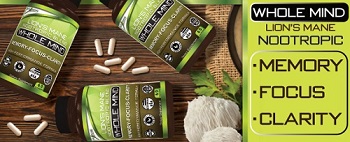
Our Formula includes: Lion’s Mane Mushrooms which Increase Brain Power through nerve growth, lessen anxiety, reduce depression, and improve concentration. Its an excellent adaptogen, promotes sleep and improves immunity. Shiitake Mushrooms which Fight cancer cells and infectious disease, boost the immune system, promotes brain function, and serves as a source of B vitamins. Maitake Mushrooms which regulate blood sugar levels of diabetics, reduce hypertension and boosts the immune system. Reishi Mushrooms which Fight inflammation, liver disease, fatigue, tumor growth and cancer. They Improve skin disorders and soothes digestive problems, stomach ulcers and leaky gut syndrome. Chaga Mushrooms which have anti-aging effects, boost immune function, improve stamina and athletic performance, even act as a natural aphrodisiac, fighting diabetes and improving liver function. Try Our Lion’s Mane WHOLE MIND Nootropic Blend 60 Capsules Today. Be 100% Satisfied or Receive a Full Money Back Guarantee. Order Yours Today by Following This Link.


| Visits: | 1,832,641,198 |
| Stories: | 8,708,577 |
Whistler Blowers, Insiders

