

Kit + AI... 7 Things My Chat Does in Kit So I Don't Have To

I have had a newsletter and been on Kit since way back in the days when it was ConvertKit and the idea of a visual automation was mind blowing! Well, now I am a firm AI + Kit acolyte and I need to tell you some of the fun things Kit and Chat can do together!
First… What Is an MCP?
An MCP (or connector) is basically a bridge between your AI and the tools you already use. Once Kit is connected to Claude or ChatGPT, Chat can actually look inside your account. He can see your subscribers, your tags, your broadcasts and your stats, and he can help you do things with them.
So instead of asking Chat for generic email marketing advice, you are asking him about YOUR list. Big difference!
If you haven’t hooked up your AI yet, start here 👉 Marketing Automation for Small Business… Connect Claude or ChatGPT to Your Marketing Tools
My Two Rules for Letting AI Loose in Kit
Before we get to the fun stuff, here are my two rules. Please don’t skip these!
Rule #1… Do No Harm
AI can tag, untag and unsubscribe thousands of people in seconds. That’s amazing… and a little scary. So I always pick the move I can undo. Tag instead of delete. Write a draft instead of sending an email to 30,000 people. Ask Chat for the count before any big change, and look at the number before you say yes.
Rule #2… Take It Slow
When Chat starts finding things, it is SO tempting to fix it all in one afternoon. Don’t! Put one thing on your calendar each week and do just that one thing. Got more ideas? Make a calendar event to do it in a week… and in a week… and in a week! Your list took years to build. It can take a few weeks to tidy.
Okay, now for the fun stuff (in no particular order)!
1. Cleaning Up Cold Subscribers (Without Losing the Good Ones)
While I do love Kit, one of the limitations I have found is that deleting anything but ALL the cold subscribers at one time is a nightmare. Say you want to find subscribers who haven’t opened any of your emails in 6 months… sure, you can do that. But if you want to delete them, you have to do it in batches of 100 and then wait for Kit to process them… sigh. Could that be because they charge by the number of subscribers you have?!?! 🤔
So I thought… BRILLIANT, I will have Chat do it for me!
Come to find out that Kit’s AI connection has no delete button. Chat can unsubscribe someone, but he can’t delete them. Deleting only happens inside Kit itself, 100 at a time. Sigh again.
So like Pooh, I thought, thought, thought… and here is what we did instead.
I started with an export. Kit said I had 7,577 cold subscribers. Everyone on that list is technically still “active,” but they’ve stopped engaging.
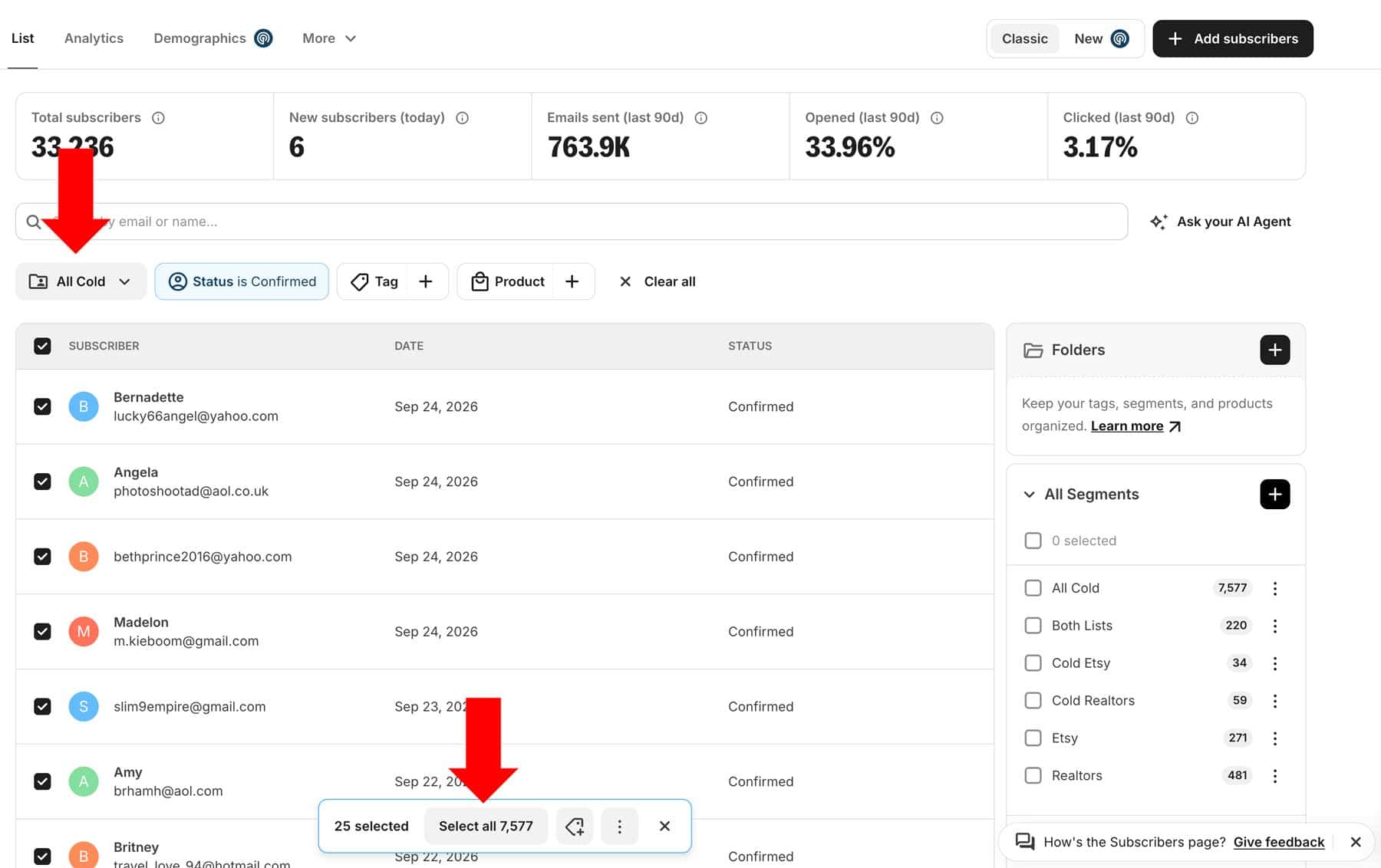
Chat filled in what the export couldn’t tell me. The export shows when people signed up, but not when they last opened an email. So Chat pulled the engagement data straight from Kit and checked how many emails each person had been sent and how many they had opened. One subscriber had been sent 52 emails and never opened a single one!
We got pickier about “cold.” Instead of deleting everyone on the export, we narrowed it down to people who joined more than 180 days ago AND have never opened or clicked a single email. That shrank my list from 7,577 to 2,583.
Let that sink in… nearly two-thirds of my “cold” list had opened my emails at some point. If I had deleted straight from the export, I would have thrown out thousands of people who still read my emails. I worked hard for those subscribers and I didn’t want to smoke anyone I didn’t have to!
We tagged instead of deleting. Chat made a new tag called “Inactive 180+” and added everyone who qualified. Here’s why tagging comes first…
- It’s reversible. A tag can come off. A deleted subscriber is gone for good.
- Apple Mail doesn’t always report opens. Some people who look cold are actually reading. Tagging gives them a chance to show up before you cut them.
- It makes the final delete easy. When the time comes, you just filter by the tag in Kit and bulk delete that group.
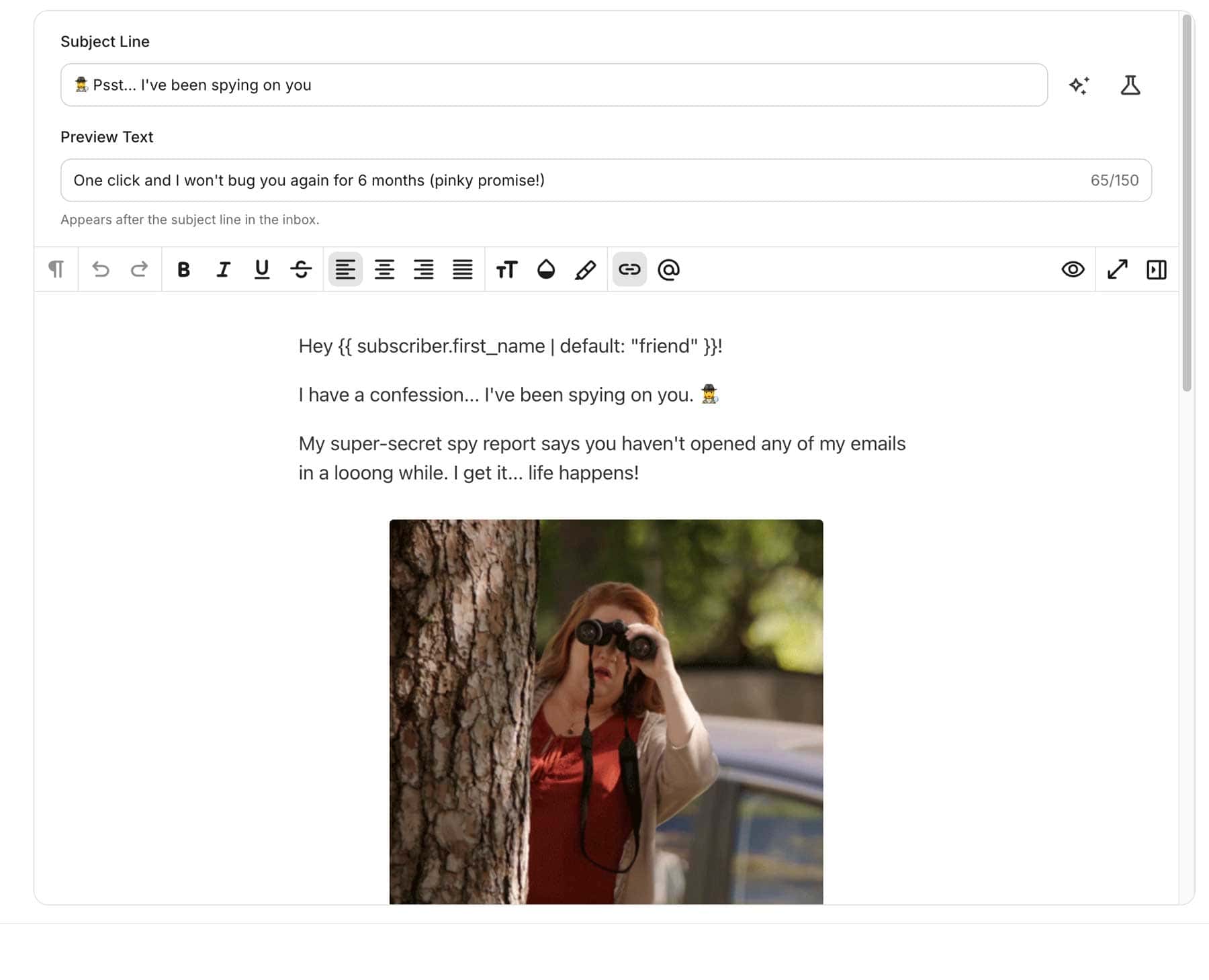
Next up is a re-engagement email. I’ll send a “Do you still want to hear from me?” email to the Inactive 180+ tag only. Anyone who clicks keeps their spot. Anyone who stays quiet gets deleted with confidence.
💡 Do This Now
Ask your AI how many of your cold subscribers have NEVER opened a single email. I bet your number shrinks just like mine did.
2. Checking Link Clicks (and Planning Posts From Them!)
I have been sending emails for years with a bunch of links in them, swinging back around to see which ones did best, and eyeballing next week’s links to try to do better.
Well, now I am a LINKING machine! I asked Chat to go back and check which links did best in my artsy newsletter and my marketing newsletter. BRILLIANT!
Here’s what surprised me…
- Free seasonal junk journal printables are my clicking champs. My free Dia de los Muertos stickers got 662 clicks, and my free fall collage backgrounds got 642. That’s two to three times more than any other link in the same email!
- A recipe got 246 clicks in my ART newsletter. My sheet pan Mississippi chicken did that well with my art people. Guess who’s going to write more sheet pan recipes? 😂
- On my marketing list, my Pinning Artfully Substack link and my Creative Fabrica link beat my course links.
But here’s the really fun part. Chat can do more than tell me which links won… he can help me plan what to write next. If one kind of post keeps getting clicks (and sending traffic to my blog!), that’s a big clue about what my readers want more of. He can also look at which links did best at different times of year, so I know what to send when.
💡 Do This Now
Ask your AI for your top 5 most clicked links from the last 90 days. Do you see a pattern? That’s your next blog post!
3. Checking Subject Lines
I also had Chat check which subject lines got the highest open rates. My lists are very different sizes, so I compare each list to itself.
Here is what my own data told me…
- On my marketing list, “Why I Plan My Marketing 2 Months Ahead (And You Should Too!)” was my top subject line. Seasonal and planning emails win with my business people.
- On my weekend art list, silly and personal wins every time. “Okay, I give up!” “Sorry I am late… I was turning my hairs blue!” and “Roaming with my homie!” all beat my salesy “It’s almost Black Friday and I have a plan!” by a mile.
- On my Wednesday art list, “Falling Into Fall!” won both opens AND clicks.
Here’s the thing… you can take as many email marketing courses as you want and read every book about crafting a great subject line. But this takes YOUR OWN DATA and tells you what works for YOUR subscribers!
A quick note… Apple Mail can make open rates look higher than they really are. So compare your subject lines to each other instead of obsessing over the exact numbers.
💡 Do This Now
Ask your AI for your 10 best subject lines by open rate, then ask what they have in common.
4. Building Broadcasts (I Write… Chat Does the Busy Work)
Much like this post, I am the writer of my newsletter. I don’t need some machine spewing out crap… I can do that myself… hahaha!
That said, the technical part of putting a newsletter together is a whole different story. Chat can take the links he found that my subscribers are most likely to click, drop them into a draft for me, and even set the right audience so the email only goes to the people who signed up for it. No more busy work… my heart! 💕
And notice I said draft. Chat never hits send. Do no harm, remember?
💡 Do This Now
Next time you write a newsletter, have your AI build the draft with your links and audience. Then you just add your words and hit send yourself.
5. One Tag to Rule Them All
I’ve had my newsletter since before some of you knew what a newsletter was. Over the years, every time I added a freebie, a list or a new idea, I added another tag. Eventually my system turned into a junk drawer.
Here’s how ridiculous it got. When someone signed up for an Artsy Fartsy freebie, Kit gave them three tags… Artsy Fartsy Newsletter, Artsy Fartsy Freebies and Opt out of Marketing Artfully Newsletter. So two tags said “yes, send me art stuff,” and one said “no, don’t send me marketing stuff.” Then every time I sent an email, I had to build a filter that said “send to everyone… except these people… unless they have that tag.” Wait, what?!?!
The problem is that I was sorting people by what they DIDN’T want instead of what they DID want. And it got big. Nearly 28,000 of my subscribers carry that marketing opt-out tag, and most of them never asked for it… they just got it automatically.
Opt-out tags pile up, they’re easy to forget, and one missed step means the wrong people get the wrong email. (More on that in #6… oops!)
So I’m simplifying to one tag per newsletter, and each tag means “yes”…
- A NEWSLETTER – Marketing for people who want my Marketing Artfully emails
- A NEWSLETTER – Artsy Fartsy Life for people who want the Wednesday art email
- A NEWSLETTER – Weekend Art for people who want the weekend inspiration email
Starting each one with “A NEWSLETTER” keeps all three at the top of my tag list, so I never have to dig for them.
Now every email goes to one simple group… “has this tag.” That’s it! New Artsy Fartsy subscribers automatically get the Artsy Fartsy Life and Weekend Art tags. If they’d rather skip the weekend emails, one click takes them off just that list. Nobody gets anything they didn’t sign up for, and I don’t need a decoder ring to send an email.
And the best part? If I make a big change like this, Chat can find every automation, tag and template that needs updating, so I don’t have to hunt for them myself.
💡 Do This Now
Count how many of your tags say “no.” If it’s more than one, it might be time to switch to “yes” tags.
6. Auditing Your Automations (aka The Case of the Leaky Freebies)
The thing about having AI help me with Kit is that I don’t have to know it all! I can have an idea of what I want to accomplish and then ask Chat how to do it.
I also don’t have to do all the work of sifting through years of automations and sequences, looking for things that are outdated or don’t make sense anymore. There is NO WAY I would be able (or willing) to go through everything I have set up over the years that just never got updated… sigh.
And wouldn’t you know it, Chat found a leak. Actually, he found FOUR.
My Chronic Pain Journal, Free Junk Journal Ebook, Free Soap Worksheet and Linktree signup forms were adding people to my art newsletter… but never adding the marketing opt-out tag. So about 1,290 art people had been quietly getting my marketing emails. Oops! That could have been why some of them unsubscribed!
Chat fixed all four automations as drafts, and I hit publish. Then, before tagging the people already on the list, he counted first, and he caught 22 people who had signed up for my marketing freebies on purpose. They keep getting my marketing emails because they asked for them. THAT is “do no harm” in action!
💡 Do This Now
Ask your AI to list every signup form you have and which tags each one adds. Look for anything that doesn’t match what the person signed up for.
7. Giving Your Freebies a Report Card
Here’s a fun one. Chat can look at each of your freebies and show you how many people each one brought in. For me, the Chronic Pain Journal brought in 812 people and the Junk Journal Ebook brought in 408.
But numbers aren’t the whole story. Chat can also show you which freebies bring in people who actually open your emails… and which ones bring in ghosts. 👻 That tells you which freebies deserve more love (and more pins!) and which ones you might retire.
💡 Do This Now
Ask your AI which of your freebies brings in the subscribers who open the most emails.
✨ Bright Ideas… More Things Kit + AI Can Do
Want more? Add these to your take-it-slow calendar, one a week!
- Tag people by what they click. Anyone who clicks an art link gets an art-interest tag, so your list sorts itself.
- Find your best send day and time from your own open history and not from a course.
- Do a monthly list health check so your cold pile never grows back to 7,000.
- Save reusable snippets for your footer, affiliate blurbs and freebie promos, then drop them into any email.
⚠️ Heads Up
Your AI can tag, untag and unsubscribe people, so always ask for a count before any big change. And remember, Kit’s AI connection can’t delete subscribers. Only Kit can do that, 100 at a time. Tag first, give people one last chance, and THEN delete.
More Ways I Use AI With My Marketing Tools
- Canva Templates + AI… 11 Things My Chat Does in Canva So I Don’t Have To
- How I Use Claude + PinClicks to Do Pinterest Keyword Research (So I Never Have to Guess Again)
- How To Hook Chat to Tailwind (Claude, ChatGPT or Gemini)
The Wrap Up
The big lesson? You don’t have to know everything about email marketing anymore. You just have to know what you want and ask! Let your AI dig through your own data, find your best links and subject lines, and catch the messes hiding in your account… while you keep doing the fun part, writing to your people.
Just remember my two rules. Do no harm… and take it slow. ðŸ¢
If the take-it-slow idea speaks to you, grab Atomic Habits by James Clear. It’s all about how tiny changes add up to big results, which is exactly how I’m cleaning up my list, one week at a time. And if you’d rather listen while you work, you can try Audible here and get it as an audiobook!
Now go ask your AI how many of your cold subscribers have never opened a single email… and tell me your number! 💌
The post Kit + AI… 7 Things My Chat Does in Kit So I Don’t Have To appeared first on Marketing Artfully.
Source: https://marketingartfully.com/kit-ai-7-things-my-chat-does-in-kit-so-i-dont-have-to/
Anyone can join.
Anyone can contribute.
Anyone can become informed about their world.
"United We Stand" Click Here To Create Your Personal Citizen Journalist Account Today, Be Sure To Invite Your Friends.
Before It’s News® is a community of individuals who report on what’s going on around them, from all around the world. Anyone can join. Anyone can contribute. Anyone can become informed about their world. "United We Stand" Click Here To Create Your Personal Citizen Journalist Account Today, Be Sure To Invite Your Friends.
LION'S MANE PRODUCT
Try Our Lion’s Mane WHOLE MIND Nootropic Blend 60 Capsules
Mushrooms are having a moment. One fabulous fungus in particular, lion’s mane, may help improve memory, depression and anxiety symptoms. They are also an excellent source of nutrients that show promise as a therapy for dementia, and other neurodegenerative diseases. If you’re living with anxiety or depression, you may be curious about all the therapy options out there — including the natural ones.Our Lion’s Mane WHOLE MIND Nootropic Blend has been formulated to utilize the potency of Lion’s mane but also include the benefits of four other Highly Beneficial Mushrooms. Synergistically, they work together to Build your health through improving cognitive function and immunity regardless of your age. Our Nootropic not only improves your Cognitive Function and Activates your Immune System, but it benefits growth of Essential Gut Flora, further enhancing your Vitality.

Our Formula includes: Lion’s Mane Mushrooms which Increase Brain Power through nerve growth, lessen anxiety, reduce depression, and improve concentration. Its an excellent adaptogen, promotes sleep and improves immunity. Shiitake Mushrooms which Fight cancer cells and infectious disease, boost the immune system, promotes brain function, and serves as a source of B vitamins. Maitake Mushrooms which regulate blood sugar levels of diabetics, reduce hypertension and boosts the immune system. Reishi Mushrooms which Fight inflammation, liver disease, fatigue, tumor growth and cancer. They Improve skin disorders and soothes digestive problems, stomach ulcers and leaky gut syndrome. Chaga Mushrooms which have anti-aging effects, boost immune function, improve stamina and athletic performance, even act as a natural aphrodisiac, fighting diabetes and improving liver function. Try Our Lion’s Mane WHOLE MIND Nootropic Blend 60 Capsules Today. Be 100% Satisfied or Receive a Full Money Back Guarantee. Order Yours Today by Following This Link.


| Visits: | 1,840,009,915 |
| Stories: | 8,745,214 |
Whistler Blowers, Insiders

